


Daily Tip: How to Enable Custom Backgrounds for WordPress 3.0 Themes
August 24, 2010
Enabling custom backgrounds is probably one of the easiest things you can do to improve a WordPress theme that you’re building or customizing. It takes one small addition to your theme’s functions.php file:
add_custom_background();
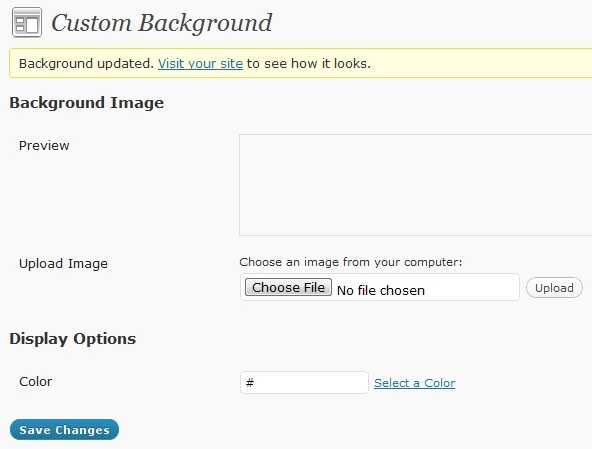
Save that and you’ll get Backgrounds added to the Dashboard >> Appearance menu, as shown here.
This will allow you or others using the theme to easily upload a background image and/or set a background color through the WordPress dashboard:


Comments
Got something to say?